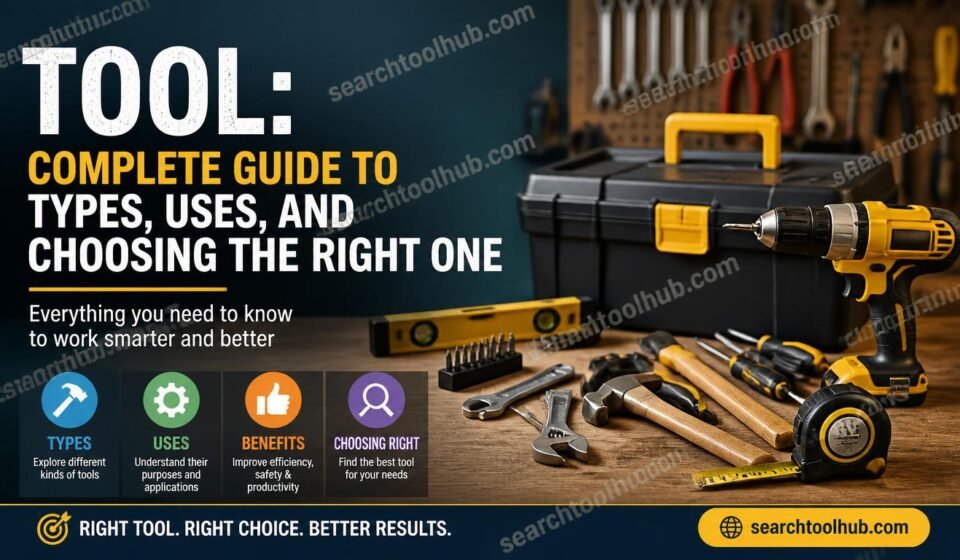

A tool is an object, device, or software application designed to make a specific task easier, faster, safer, or more accurate. Tools have been part of human life for thousands of years, from simple stone implements to modern electronic equipment and cloud-based software. Today, the word tool can describe everything from a hammer or saw to SEO software, an electronic service device, or an online utility.
Understanding the purpose of a tool is often more important than simply knowing its name. The right tool can reduce effort, improve precision, save time, and produce better results. The wrong tool, however, can make a task unnecessarily difficult or even create safety risks.
This guide explains what tools are, the major categories of tools, how tools are used, how to choose one, and how traditional tools compare with modern digital solutions.
What Is a Tool?
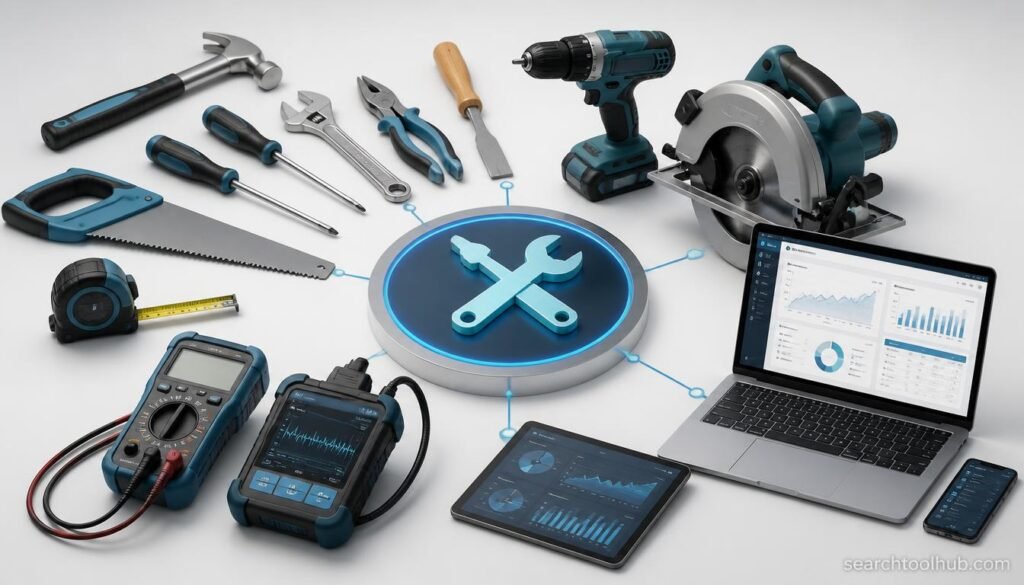
A tool is something created or adapted to help a person perform a task. It may be manually operated, powered by electricity, operated mechanically, or delivered as software.
A screwdriver, for example, transfers the user’s force to a screw. A drill creates holes more efficiently than manually making one. Similarly, an SEO tool processes website or search data to help a user analyze keywords, rankings, links, or technical issues.
The basic idea is the same: a tool extends human ability or simplifies a job.
Tools can therefore be divided into several broad groups:
- Hand tools
- Power tools
- Wood tools
- Gardening tools
- Construction tools
- Electronic service tools
- Automotive tools
- Digital and software tools
- SEO tools
- Social media and marketing tools
- Specialized professional tools
Some tools have one clearly defined purpose, while others combine several functions.
Why Are Tools Important?
Tools make work more manageable by reducing the amount of physical or mental effort required to complete a task.
A carpenter does not need to cut every piece of wood by hand with an improvised object. A mechanic can use specialized equipment to diagnose a vehicle more accurately. A website owner can use software to identify technical SEO problems without manually checking every page.
Good tools can provide several benefits:
1. They Save Time
A suitable tool can complete repetitive work much faster than doing everything manually.
For example, a power drill can create multiple holes quickly, while software can process thousands of data points in seconds.
2. They Improve Accuracy
Many professional tasks require precision. Measuring tools, electronic testing equipment, and specialized software can reduce guesswork.
3. They Improve Productivity
When routine work becomes easier, people can concentrate on more important parts of a project.
4. They Can Improve Safety
The correct tool is generally safer than using an unsuitable object as a substitute. Safety also depends on using the tool correctly and following manufacturer instructions.
5. They Expand What People Can Do
Modern tools have dramatically expanded human capabilities. Digital tools, for instance, allow a single person to analyze information, create content, manage projects, and monitor websites from one computer.
Main Types of Tools
There is no single classification system for every tool. Different industries organize tools according to their purpose, power source, material, or application.
Hand Tools
Hand tools are operated primarily by human force rather than a motor.
Common examples include:
- Screwdrivers
- Hammers
- Pliers
- Wrenches
- Files
- Chisels
- Measuring tapes
- Handsaws
- Clamps
Hand tools are common in workshops, construction, maintenance, household repairs, and manufacturing.
Their simplicity can be an advantage because many do not require electricity, batteries, or complicated setup.
Power Tools
Power tools use an external energy source, usually electricity, compressed air, or a battery.
Examples include:
- Electric drills
- Circular saws
- Sanders
- Grinders
- Jigsaws
- Impact drivers
- Rotary tools
Power tools can significantly reduce physical effort, but they generally require more attention to safety than basic hand tools.
Wood Tools
Wood tools are designed for cutting, shaping, joining, measuring, finishing, or otherwise working with timber and other wood-based materials.
Traditional woodworking tools include:
- Hand saws
- Chisels
- Planes
- Clamps
- Mallets
- Measuring squares
- Marking gauges
Modern workshops may also use routers, table saws, drills, sanders, and other powered equipment.
The best woodworking tool depends on the material, desired result, project size, and required level of precision.
Gardening and Tree Planting Tools
Gardening requires tools for preparing soil, planting, pruning, watering, and maintaining plants.
A tree planting tool can refer to equipment used to create a suitable opening in soil and position a young tree or seedling. Depending on the planting environment, this may include a planting spade, dibber, planting bar, shovel, auger, or specialized forestry equipment.
The correct choice depends on soil conditions and the scale of the project.
For a small garden, a basic hand shovel may be enough. Large-scale planting operations can require specialized mechanical equipment capable of preparing many planting locations efficiently.
Electronic Service Tools
Electronic equipment requires a different class of tools because technicians often need to measure electrical characteristics, diagnose faults, and work with small components.
An electronic service tool may include equipment such as:
- Multimeters
- Oscilloscopes
- Soldering equipment
- Logic analyzers
- Power supplies
- Component testers
- Signal generators
- Precision screwdrivers
- Inspection equipment
Technicians choose equipment based on the type of electronics being tested.
A multimeter, for example, can be useful for measuring voltage, resistance, and current, while an oscilloscope is useful for examining changing electrical signals.
Automotive and Diagnostic Tools
Vehicles require specialized tools for mechanical maintenance and electronic diagnosis.
Common automotive tools include:
- Socket sets
- Torque wrenches
- Jack stands
- Diagnostic scanners
- Battery testers
- Compression testers
- Brake tools
- Inspection equipment
Modern vehicles contain sophisticated electronic systems, so automotive technicians increasingly rely on diagnostic software and electronic testing equipment in addition to traditional mechanical tools.
Digital Tools
The meaning of a tool has expanded significantly with the growth of computers and the internet.
A digital tool is software or an online service designed to perform a particular task.
Examples include:
- Writing tools
- Image editing tools
- Project management tools
- Analytics tools
- Communication tools
- Research tools
- Security tools
- SEO tools
- Social media tools
Unlike a physical tool, a digital tool may process large quantities of information without requiring physical effort.
SEO Tools
SEO tools are software applications and online platforms that help website owners, marketers, and SEO professionals understand and improve search performance.
Depending on the platform, an SEO tool may provide features for:
- Keyword research
- Rank tracking
- Backlink analysis
- Competitor research
- Technical SEO auditing
- Content analysis
- Website crawling
- Search-result analysis
- Performance monitoring
No single SEO tool can provide every answer. Different tools specialize in different parts of the search optimization process.
For example, a keyword research platform may be useful for discovering search terms, while a crawler can identify technical problems across a website.
The most useful approach is to choose tools based on the actual problem being solved.
What Is a Tool Hub?
A Tool Hub is generally a website, application, platform, or collection that brings multiple tools together in one place.
Instead of visiting separate services for every small task, users can access several utilities through a central interface.
A tool hub might contain:
- Text utilities
- SEO utilities
- Image tools
- Conversion tools
- Website checkers
- Marketing tools
- Productivity utilities
The quality of a tool hub depends on how reliable, transparent, accurate, and easy to use its individual tools are.
A large number of tools does not automatically make a platform useful. Well-designed tools should provide clear outputs and explain what those results mean.
Understanding Tool Use
Tool use is the practical application of a tool to accomplish a particular task.
The basic process is simple:
- Identify the task.
- Determine what result is required.
- Select an appropriate tool.
- Check that the tool is suitable and in good condition.
- Use it according to its intended purpose.
- Inspect the result.
- Clean, maintain, or safely store the tool afterward.
For digital tools, the process may look slightly different:
- Define the problem.
- Choose suitable software.
- Enter the necessary information.
- Configure relevant settings.
- Run the tool.
- Interpret the results.
- Take action based on useful findings.
The important point is that a tool does not replace judgment. It provides assistance, information, or mechanical advantage, while the user remains responsible for deciding what to do with the result.
How to Choose the Right Tool
Choosing a tool should begin with the task rather than the brand name.
Consider the Purpose
Ask what you actually need to accomplish.
A tool designed for cutting will not necessarily be appropriate for measuring, fastening, or polishing.
Consider Compatibility
Make sure the tool works with the material, equipment, operating system, website platform, or other environment in which it will be used.
Consider Quality
A low-quality tool may appear inexpensive initially but can cost more over time because of poor performance or early replacement.
Consider Frequency of Use
Someone who uses a tool occasionally may have different requirements from a professional who uses it every day.
Consider Ease of Use
A sophisticated tool is not always the best option. If a simpler tool performs the required task accurately, it may be more practical.
Consider Maintenance
Some tools require regular cleaning, sharpening, calibration, lubrication, updates, or replacement parts.
Consider Safety
For physical equipment, safety features and correct operating procedures are essential. For digital tools, security, privacy, permissions, and data handling should also be considered.
Why Do Cutting Tools Have Sharp Edges?
Tools designed for cutting generally have edges that concentrate force into a relatively small area.
A sharp edge can separate material more efficiently than a blunt edge because the force is concentrated at the cutting point. This principle applies to many tools, including saws, knives, chisels, and certain industrial cutting devices.
The exact shape of the cutting edge depends on the material being cut and the type of work being performed.
A tool can also become less effective as its edge wears. In professional environments, maintaining the correct cutting condition is therefore an important part of tool maintenance.
What Are the 7 QC Tools?
The seven basic quality control tools, commonly called the 7 QC tools, are widely used to identify, analyze, and solve quality-related problems.
They are generally identified as:
- Check sheet — used to collect and organize observations or defect data.
- Histogram — shows how numerical data is distributed.
- Pareto chart — helps identify the most significant causes or categories.
- Cause-and-effect diagram — also known as a fishbone or Ishikawa diagram, it helps investigate possible causes of a problem.
- Scatter diagram — helps examine relationships between two variables.
- Control chart — monitors a process over time and helps identify unusual variation.
- Stratification — separates data into meaningful groups to reveal patterns that may otherwise remain hidden.
Some sources or organizations use slightly different terminology or replace stratification with a flowchart, so the exact list can depend on the quality-management framework being followed.
What Kind of Equipment Is Required for Mountain Climbing?
Mountain climbing is different from ordinary hiking, and equipment requirements vary considerably according to the route, season, altitude, terrain, and climbing technique.
Depending on the objective, climbers may need equipment such as:
- Appropriate climbing footwear
- Helmet
- Harness
- Rope
- Carabiners
- Belay equipment
- Protection equipment
- Ice axe
- Crampons
- Navigation equipment
- Appropriate clothing
- Emergency and communication equipment
Not every climb requires every item. Technical climbing, glacier travel, winter routes, and straightforward hiking involve very different equipment requirements.
The correct equipment should be selected based on the specific route and conditions, with appropriate training and guidance where technical skills are required.
How to Buy Taparia Tools Share?
The phrase “Taparia tools share” can refer to different things depending on what the searcher means. If the intention is to purchase Taparia-branded tools, the safest approach is to identify an authorized or reputable seller and verify the exact product, specifications, warranty, and seller details before purchasing.
If “share” refers to a financial investment or stock-related question rather than purchasing tools, it is a completely different search intent and should be treated separately.
When buying any branded tool, avoid choosing solely on price. Check the exact model, intended application, specifications, warranty, and seller reputation.
Which Tools Support Continuous Integration?
Continuous integration, commonly called CI, is a software-development practice in which code changes are integrated and tested regularly.
Many development platforms can support CI workflows. Examples include systems and services such as:
- Jenkins
- GitHub Actions
- GitLab CI/CD
- CircleCI
- Azure Pipelines
- Buildkite
The best choice depends on factors such as the source-control platform, programming environment, hosting infrastructure, security requirements, team size, and desired workflow.
A CI tool can automatically perform tasks such as building software, running tests, checking code quality, and reporting failures after changes are submitted.
How to Use a Tool
The correct way to use a tool depends on the type of tool, but a general approach works across many categories.
First, understand the purpose. Understand the purpose of the tool.
Second, inspect it before use. For physical tools, check for visible damage, loose components, worn edges, or other problems. For software, check that you are using a legitimate and appropriate version.
Third, use the correct method. Follow the manufacturer’s instructions or established professional procedure.
Fourth, avoid forcing the tool. If a tool cannot perform the required task, a different tool may be necessary.
Finally, store or close it correctly. Physical tools should be cleaned and stored appropriately, while digital tools should be closed securely and kept updated where appropriate.
What Are Unlock Tools?
The phrase unlock tool can describe software or equipment intended to remove a restriction or restore access to a device, account, or system.
However, the meaning varies significantly between industries. Some legitimate tools are used by authorized technicians to service devices or recover access. Others may be promoted for bypassing security controls.
Users should only use an unlock solution when they have authorization to access the relevant device or system. Legitimate service procedures should be preferred over tools that attempt to bypass security protections without permission.
What Are SRP Tools?
SRP tools can have different meanings depending on the industry or software involved. The abbreviation may refer to a particular platform, process, or specialized application.
This is an important example of why a tool should be evaluated according to its context rather than its name alone. When searching for an SRP tool, users should identify the exact product or industry, check documentation, and confirm that the software performs the intended function.
What Are VIP Tools?
The term VIP tools is not a universal technical category. It is often used by websites or services as a marketing label for premium, advanced, restricted, or members-only utilities.
Before using a service described as a VIP tool, check:
- What the tool actually does
- Whether it is legitimate
- What data it collects
- Whether payment is required
- Whether the service has clear documentation
- Whether the results are reliable
A premium label by itself does not guarantee better performance.
What Are All SMO Tools?
SMO, or social media optimization, involves improving the visibility, engagement, and distribution of content across social platforms.
SMO tools may help with:
- Social media scheduling
- Content planning
- Analytics
- Audience monitoring
- Publishing
- Engagement tracking
- Performance reporting
- Social listening
There is no universally defined list called “all SMO tools.” Different platforms specialize in different tasks, and new services appear regularly.
A business should choose SMO software according to the social networks it uses and the specific workflow it needs to manage.
AMT Tool Download: What Should You Check?
When searching for an AMT tool download, it is important to determine exactly which AMT tool is intended because the abbreviation can refer to multiple products and applications.
Before downloading specialized software:
- Confirm the developer or publisher.
- Use an official source whenever possible.
- Check system requirements.
- Read the software documentation.
- Verify that the version is appropriate.
- Avoid suspicious download sites.
- Review requested permissions.
- Keep security software and the operating system updated.
Downloading software from an unknown source can create unnecessary security and privacy risks.
Router Audit Tool
A router audit tool is generally used to examine a router’s configuration, security posture, connectivity, or performance.
Depending on the product, an audit may examine areas such as:
- Configuration settings
- Firmware version
- Network services
- Access controls
- Wireless settings
- Security configuration
- Connected devices
- Performance information
Router auditing should be performed only on networks and equipment that the user or organization is authorized to administer.
For businesses, regular configuration reviews can help identify outdated settings or unnecessary services before they become operational problems.
Physical Tools vs Digital Tools
Physical and digital tools look very different, but they serve a similar fundamental purpose: helping people accomplish tasks more effectively.
| Physical Tools | Digital Tools |
|---|---|
| Hammer | Project management software |
| Screwdriver | SEO platform |
| Saw | Website crawler |
| Multimeter | Analytics platform |
| Drill | Content analysis tool |
| Measuring tape | Data analysis software |
Physical tools interact with materials and objects. Digital tools work primarily with information, data, or computer-controlled processes.
Many modern professions use both.
For example, an electronics technician may use a physical multimeter and diagnostic software during the same job. An SEO professional may use a computer, browser, spreadsheet, crawler, and keyword research platform as part of one workflow.
Tool Maintenance
A tool is only useful when it remains in suitable working condition.
Physical tool maintenance can include:
- Cleaning after use
- Keeping cutting edges in appropriate condition
- Checking moving components
- Replacing damaged parts
- Preventing corrosion
- Storing tools properly
- Following manufacturer maintenance instructions
Digital tools require a different type of maintenance.
Software maintenance may involve:
- Installing security updates
- Updating applications
- Reviewing user permissions
- Removing obsolete software
- Backing up important data
- Checking integrations
- Monitoring performance
Regular maintenance can extend useful life and reduce unexpected problems.
Common Mistakes When Choosing Tools
People often focus too heavily on price or popularity when choosing a tool.
Choosing the Cheapest Option
The lowest purchase price does not necessarily mean the lowest overall cost.
Buying More Features Than Necessary
An advanced tool can be unnecessary if a simpler solution performs the task well.
Ignoring Compatibility
A tool that works well in one environment may be unsuitable for another.
Using the Wrong Tool
Improvising with an inappropriate tool can damage equipment, materials, or the tool itself.
Ignoring Instructions
Manufacturer documentation often contains important operating, maintenance, and safety information.
Trusting Marketing Claims Without Verification
Terms such as “professional,” “premium,” “VIP,” or “ultimate” are not proof of quality. Look for specifications, documentation, independent evaluations, and a clear explanation of what the product actually does.
How Tools Are Changing
Tools continue to evolve alongside technology.
Traditional hand tools remain important because they are simple, portable, and useful in countless situations. Power tools have made many physical tasks faster and more efficient.
Digital tools have introduced another major shift. A modern software application can automate repetitive work, process large datasets, monitor systems continuously, or provide insights that would take a person much longer to calculate manually.
Artificial intelligence is also changing software tools by allowing systems to summarize information, generate drafts, recognize patterns, assist with research, and automate parts of complex workflows.
However, advanced technology does not eliminate the need for human judgment. The quality of a result still depends on the quality of the information, the configuration of the tool, and the decisions made by the person using it.
The Future of Tools
The future of tools is likely to involve greater automation, connectivity, precision, and specialization.
Physical tools are increasingly being combined with sensors and digital controls. Smart devices can collect information about performance and operating conditions.
Digital tools are becoming more integrated with each other. Instead of using completely separate systems, users can connect applications so information flows between platforms automatically.
AI-assisted tools are also becoming more common. These systems can help users analyze data, identify patterns, generate suggestions, and automate routine operations.
Despite these changes, the fundamental purpose remains the same: a good tool should help a person accomplish a useful task more effectively.
Frequently Asked Questions About Tools
What is a tool?
A tool is an object, device, machine, or software application designed to help perform a particular task more effectively. Tools can be physical, mechanical, electronic, or digital.
Why do tools meant for cutting always have sharp edges?
Cutting tools generally use a sharp edge to concentrate force into a small area, allowing the edge to separate material more efficiently. The precise edge design depends on the material and cutting application.
What is 7 QC tools?
The seven basic quality control tools are check sheets, histograms, Pareto charts, cause-and-effect diagrams, scatter diagrams, control charts, and stratification. They are used to collect, analyze, and understand quality-related data.
What kind of tools are needed for climbing mountains?
Equipment depends on the mountain, route, weather, season, and technical difficulty. Depending on conditions, climbers may need appropriate footwear, helmets, harnesses, ropes, carabiners, navigation equipment, ice axes, crampons, protection equipment, and emergency gear.
How to buy Taparia tools share?
If you mean buying Taparia-branded tools, identify the exact product and purchase from a reputable or authorized seller. Check specifications, warranty, seller information, and product authenticity before purchasing. If you mean buying shares as an investment, that is a separate financial topic.
Which tools support continuous integration?
Common CI tools and platforms include Jenkins, GitHub Actions, GitLab CI/CD, CircleCI, Azure Pipelines, and Buildkite. The appropriate choice depends on the development environment, repository, infrastructure, and team’s requirements.
How do you use a tool?
Start by identifying the task and selecting a tool designed for it. Check the tool’s condition, follow its instructions, use the correct technique, and maintain or store it appropriately after use.
What are wood tools used for?
Wood tools are used to measure, cut, shape, join, smooth, and finish wood. Examples include saws, chisels, planes, clamps, drills, routers, and sanders.
What is an electronic service tool?
An electronic service tool is equipment used to test, diagnose, repair, or maintain electronic systems. Examples include multimeters, oscilloscopes, soldering equipment, component testers, and laboratory power supplies.
What is a Tool Hub?
A Tool Hub is generally a platform or website that provides multiple tools or utilities from a centralized location. The tools may cover areas such as SEO, productivity, conversions, content, or website analysis.
What are SEO tools used for?
SEO tools help website owners and professionals research keywords, analyze websites, monitor rankings, examine backlinks, identify technical issues, and evaluate search performance.
What is a tree planting tool?
A tree planting tool is equipment used to prepare soil and place trees or seedlings. Small projects may use spades or planting bars, while larger operations can use specialized forestry equipment.
What is an unlock tool?
An unlock tool generally refers to software or equipment designed to remove an access restriction or restore authorized access to a device or system. Because the term can have different meanings, users should verify the exact tool and use it only where they have permission.
What should I check before downloading a specialized tool?
Verify the developer, source, software version, system requirements, permissions, documentation, and security reputation. Whenever possible, download software from the official developer or another trusted source.
What is an AMT tool download?
“AMT tool download” can refer to different software products because AMT is used as an abbreviation by multiple applications and industries. Identify the exact product before downloading and use a trusted source.
What does a router audit tool do?
A router audit tool can help administrators examine configuration, security settings, firmware, network services, connected devices, and other operational details. Auditing should only be performed on networks and devices the user is authorized to manage.
Are expensive tools always better?
No. The best tool is the one that meets the requirements of the task reliably and safely. A more expensive tool may provide additional features or durability, but those benefits are only valuable if they are relevant to the user’s needs.
Why is tool maintenance important?
Maintenance helps keep tools functional, accurate, and reliable. Depending on the type of tool, maintenance can include cleaning, inspection, sharpening, calibration, software updates, security checks, and replacing worn components.
Final Thoughts
Tools are much more than objects found in a workshop. They include physical equipment, electronic devices, specialized professional systems, and software applications that help people solve problems and complete tasks.
The best tool depends on the job. A carpenter may need wood tools, an electronics technician may need an electronic service tool, a website owner may need SEO tools, and a software development team may rely on continuous integration tools.
Understanding tool use, checking compatibility, considering quality, and following appropriate instructions are more important than simply choosing the most popular or expensive option.
As technology continues to develop, the definition of a tool will continue to expand. What remains unchanged is the underlying purpose: the right tool helps turn a difficult task into a more manageable one.