

Anthropic has introduced Claude Docs and Claude Slides, two new AI-powered productivity features that let users create and edit documents and presentations directly inside Claude. The September 2026 update also brings Claude Cowork and regular Claude conversations together into a unified experience, reducing the need to switch between separate modes when working on larger projects.
The new tools are designed for people who want to move from an AI conversation to a usable document or presentation without copying information between different applications.
Claude Docs focuses on collaborative documents, while Claude Slides is designed for creating presentation decks that can be edited and exported.
What Are Claude Docs and Claude Slides?
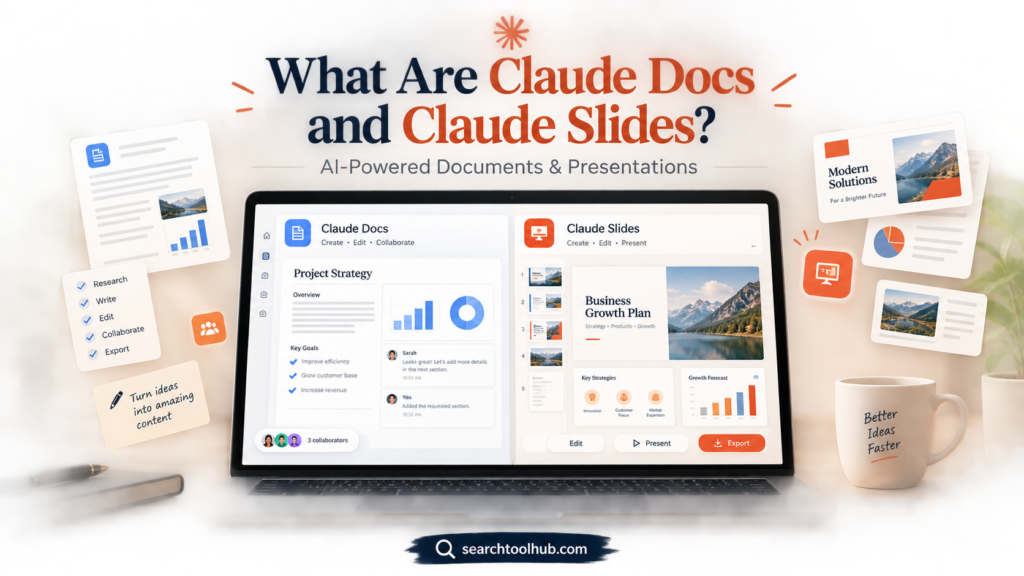
Claude Docs is an AI-assisted document workspace built into Claude. Users can ask Claude to create a document from a conversation, files, connected services, or other available context. The resulting document can then be edited by the user and Claude, shared with other people, and exported into several formats.
Claude Slides is the presentation-focused feature. It can turn notes, reports, files, or other information into presentation slides. Users can make changes directly, ask Claude to revise the presentation, present from Claude, or export the finished deck to PowerPoint or PDF.
Both features are currently in beta.
Also Read:QuikConsole Com: What Is It and What Should You Know?
Why Did Anthropic Introduce These Tools?
Anthropic says Claude users previously had to decide where a particular task belonged. Regular Claude conversations, Cowork, Artifacts, and Claude Design provided different working environments.
The September update brings these capabilities closer together. Instead of manually choosing a separate mode for a larger assignment, users can describe what they need in a Claude conversation, and Claude can use the relevant capabilities available to that account.
This is particularly useful for projects where the research, writing, document creation, and presentation preparation are connected.
For example, someone could ask Claude to turn research into a report and then use that report as the foundation for a presentation.
Claude Docs Features
Claude Docs is built around the idea of a document that can continue to evolve instead of being a one-time AI response.
Create Documents From a Conversation
Users can ask Claude to turn information already discussed into a document.
For example, a request could be:
“Turn the plan we just created into a two-page project brief for my team.”
Claude can ask clarifying questions before drafting the document and then create the document inside the conversation.
Edit With Claude
Once produced, the document can still be edited.
Users can make changes themselves or ask Claude to modify specific sections. Requests such as tightening an introduction, adding a section, or changing the wording can be handled within the workflow.
Collaborate With Other People
Claude Docs supports collaboration. Documents begin private, and the owner can share them with other people and choose available access levels.
People with edit access can work on the same document while Claude is also being used to make changes.
Use Comments
Comments provide another way to collaborate.
A user can select text and leave a comment for collaborators. Claude can also be mentioned in a comment to request an edit or response.
Add Charts and Visuals
Claude Docs can create charts, diagrams, graphs, and timelines rather than requiring users to manually paste screenshots into a document.
Anthropic notes that charts and diagrams do not automatically refresh when the underlying connected data changes. Users need to ask Claude to retrieve the latest information when they want to update them.
Export Documents
Claude Docs currently supports exporting documents to:
- Microsoft Word (.docx)
- Markdown
- Google Docs
Claude can also turn a document into a presentation using Claude Slides.
What Is Claude Slides?
Claude Slides is designed specifically for presentation creation.
Instead of starting with an empty PowerPoint presentation, users can provide Claude with information and ask it to create a deck.
Anthropic describes use cases including client presentations, roadmap reviews, board meetings, QBRs, earnings presentations, and design reviews.
Create Slides From Existing Information
A presentation can be created from a report, file, or previous conversation.
This means users don’t necessarily have to provide every piece of information again. Claude can use the context already available to it.
Edit Presentations Directly
After Claude creates the presentation, users can edit the slides directly or ask Claude to make changes.
This makes the process more interactive than simply generating a static presentation file.
Export to PowerPoint and PDF
One of the most practical features is the ability to export presentations.
Claude’s current product information states that Claude Slides supports exporting presentations to PowerPoint and PDF, with additional export options available through the product.
How Claude Docs and Slides Work Together
One of the interesting parts of the update is that Docs and Slides can be part of the same workflow.
Imagine researching a new product launch.
You could ask Claude to:
- Analyze the available information.
- Create a detailed report in Claude Docs.
- Turn the report into a presentation.
- Review and edit the presentation.
- The finished deck can be exported to PDF or PowerPoint.
Because the work can originate from the same conversation, users do not have to repeatedly copy information from one application to another.
Anthropic specifically describes creating a report and presentation from the same conversation so the resulting slides can reflect the same underlying work.
Claude’s New Unified Experience
Claude Docs and Claude Slides are part of a larger September 2026 product change.
Anthropic is bringing Claude Cowork and regular Claude chat together into one Claude experience.
Previously, Cowork was a separate environment for larger, multi-step assignments. With the new approach, users can start in a normal Claude conversation and hand over larger work without manually switching modes.
Claude can use available context, skills, and connectors to determine what capabilities a task requires.
The rollout also brings Claude Design capabilities into conversations.
What Happened to Claude Cowork?
Claude Cowork isn’t simply being abandoned as a separate workflow. Anthropic is incorporating its capabilities into the unified Claude experience.
Anthropic says existing Cowork work remains available, including chats, projects, artifacts, connectors, and skills.
The goal is to make the interface simpler: users can describe the task instead of first deciding which Claude environment to open.
Claude Docs Availability
Claude Docs is currently in beta.
Anthropic’s current Help Center states that Claude Docs is available on:
- Pro
- Max
- Team
- Enterprise
It is not currently available on the Free plan. Team plans have Docs enabled by default, while Enterprise administrators need to enable the capability.
Anthropic also lists some Enterprise configuration limitations. Claude Docs is currently unavailable for organizations using certain configurations, including customer-managed encryption keys, zero data retention, or a HIPAA-ready configuration.
Claude Slides Availability
Claude Slides is also currently in beta on paid Claude plans.
Anthropic’s product information places Claude Slides alongside Claude Docs and Claude Design within its paid-plan beta capabilities.
Availability can depend on the user’s plan and organization settings, so users should check their Claude account for the current feature availability.
How Much Does Claude Cost?
Claude’s current pricing page lists several plans.
The Free plan costs $0, while Pro is listed at $20 per month when billed monthly or $200 annually. The page currently also lists Max plans starting at $100 per month. Team and Enterprise plans have separate pricing structures.
Anthropic’s current pricing information is subject to change, and taxes or regional pricing can affect the final amount.
For organizations, Team pricing currently starts at $20 per seat per month when billed annually or $25 per seat monthly for Standard seats, according to Anthropic’s Help Center.
Who Can Use Claude Docs and Slides?
These tools can be useful for several types of users.
Students and Researchers
Claude Docs can help organize research notes, outlines, study material, and project documentation.
Claude Slides can turn organized information into presentation material.
Content Creators
Writers can use Claude Docs to develop structured documents and then transform important material into presentations.
Businesses
Businesses can use the tools for reports, project documents, internal briefs, client presentations, and meetings.
Marketing Teams
Marketing teams can use documents for campaign planning and presentations for reporting or strategy discussions.
Developers and Technical Teams
Technical teams can use documents for specifications, project plans, runbooks, and other technical documentation.
The usefulness depends on the task and the quality of the information supplied to Claude.
What Are the Limitations?
Claude Docs and Slides are still beta features, so users should expect some limitations.
For Claude Docs, Anthropic currently lists the absence of version history, limited access-control options, and limitations around automatically updating charts and diagrams.
Mobile functionality is also more limited than desktop and web. On iOS and Android, users can view documents, but some creation, editing, and sharing-management functions require Claude on the web or desktop.
Users should also review AI-generated documents and presentations before publishing or sharing them. AI-generated text, calculations, charts, and summaries can require human verification.
Claude Docs vs Traditional Document Editors
Traditional editors such as Word and Google Docs are primarily designed around manual document creation and collaboration.
Claude Docs takes a different approach by placing AI directly into the document-generation workflow.
The key distinction is that users can ask Claude to create or revise sections instead of manually writing every part from scratch.
However, traditional editors still provide mature editing, collaboration, formatting, and document-management features. Claude Docs is currently a beta product, so its capabilities and limitations may change.
Claude Slides vs PowerPoint
PowerPoint remains a full-featured presentation application with extensive manual design and editing controls.
Claude Slides focuses more heavily on AI-assisted creation.
A user can start with notes, a report, or a request and have Claude generate a presentation structure that can then be reviewed and edited.
For users who already have an established PowerPoint workflow, Claude Slides can therefore function as an AI-assisted starting point rather than necessarily replacing their existing presentation software.
Is Claude Docs Free?
No. According to Anthropic’s current Help Center, Claude Docs is not available on the Free plan. It is currently offered in beta on Pro, Max, Team, and Enterprise plans.
Can Claude Slides Export to PowerPoint?
Yes. Anthropic says Claude Slides can export presentations to PowerPoint and PDF.
Can Claude Docs Export to Word?
Yes. Claude Docs supports Microsoft Word (.docx), PDF, Markdown, and Google Docs export.
Can Other People Edit a Claude Doc?
Yes. Claude Docs supports sharing and collaboration. Owners can give other users edit access, subject to the sharing options available for their plan.
Are Claude Docs and Slides Available on Mobile?
Some mobile functionality is available, but not every feature is available on mobile.
Anthropic says Claude Docs can be viewed through the iOS and Android apps, while certain creation, editing, template, and sharing-management functions require the web or desktop experience.
What Does the Claude Update Mean for AI Productivity?

The September 2026 Claude update shows a broader shift toward AI systems that can handle multiple stages of a project from a single conversation.
Instead of using one AI tool for research, another application for writing, another for presentations, and another for collaboration, Claude is bringing more of these steps into one workflow.
The important part is not simply that Claude can generate a document or presentation. The larger change is the connection between conversation, research, files, documents, presentations, collaboration, and longer-running tasks.
Anthropic is also continuing to expand Claude’s connections to workplace software. Its September release notes, for example, show the launch of Salesforce in Claude in beta on September 15, 2026, bringing Salesforce account, opportunity, and pipeline information into Claude for approved organizations.
This suggests that Claude is increasingly being positioned as a workspace for completing multi-step tasks rather than only as a chatbot.
Final Thoughts
Claude Docs and Claude Slides represent a significant expansion of what users can create directly inside Claude.
Claude Docs provides a collaborative document workspace where users can draft, edit, comment, share, and export documents. Claude Slides extends the same idea to presentations, allowing users to generate and modify decks and export them to formats such as PowerPoint and PDF.
At the same time, Anthropic is combining Claude Chat and Cowork into a more unified experience. Users can start with a normal conversation and move into larger projects without manually choosing a separate workspace.
Because Docs and Slides are still beta features, their capabilities and availability may change as Anthropic continues developing them. For anyone already using Claude for writing, research, business documents, or presentations, the new tools provide another way to turn conversations into editable work.